New Delhi: Millions of users proudly carry smartphones with powerful, multi-lens cameras, yet most of them use this advanced tool only for clicking photos or shooting videos. What many don’t realize is that the smartphone camera is a multi-purpose digital tool capable of making everyday life easier in ways people rarely explore.
Here are six practical and smart uses of a smartphone camera that go far beyond photography—once you know them, you may wonder why no one told you earlier.
1. Check Whether Your Remote Control Battery Is Dead
If your TV or AC remote suddenly stops working, the problem may not be the remote—but the battery. Simply point the remote toward your phone’s camera and press any button.
- If you see a blue or purple light from the IR sensor on your screen, the remote is fine.
- If no light appears, it’s time to replace the battery—or the remote itself.
A quick trick that saves time and guesswork.
2. Use Your Camera as a Magnifying Glass
Modern smartphone cameras come with powerful zoom and advanced autofocus. This allows them to work like a digital magnifying glass.
- Read fine print on medicine strips
- Examine small electronic parts
- View tiny labels or serial numbers
Turning on the flash further improves clarity, especially in low light.
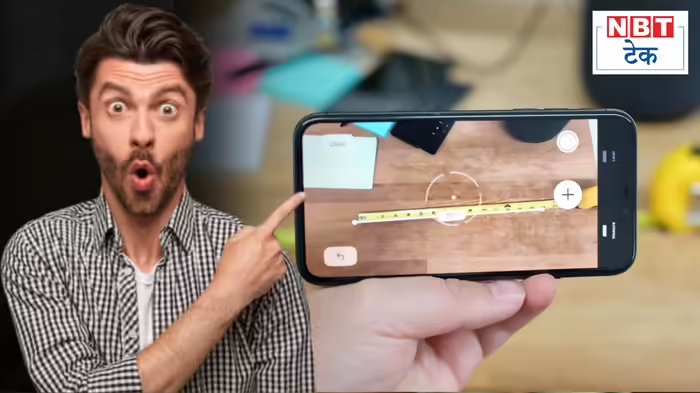
3. Measure Objects Without a Measuring Tape
Need to measure something urgently and don’t have tools nearby? Your phone camera can help.
- iPhone users can rely on the Measure app
- Android users can download measurement apps from the Play Store
With augmented reality and camera sensors, you can measure length, width, and height with surprising accuracy.
4. Translate Foreign Languages in Real Time
Traveling abroad or eating at a restaurant with a menu you can’t read? Your camera can act as a real-time translator.
Using apps like Google Translate, simply point the camera at foreign text and instantly see it translated into your preferred language—right on your screen.
Language barriers disappear in seconds.
5. Use Google Lens to Identify Anything Around You
Curious about a plant, product, shoe, watch, or building?
With Google Lens, your phone camera can search the internet based on images.
- Identify objects
- Find shopping links
- Get information about landmarks or artwork
It’s faster than typing and smarter than guessing.
6. Turn Your Phone into a Portable Scanner
Need to scan a document urgently? No need for a bulky scanner.
Most smartphones now offer built-in document scanning through the camera.
- Scan papers
- Convert them to PDFs
- Share instantly via email or messaging apps
This feature is especially useful for office work, education, and official documentation.
Final Word
The smartphone camera is one of the most underutilized tools we carry every day. Beyond photography, it can save time, solve problems, and make daily tasks effortless. Once you start using these features, your phone will feel less like a gadget—and more like a personal assistant.
Discover more from SD NEWS agency
Subscribe to get the latest posts sent to your email.