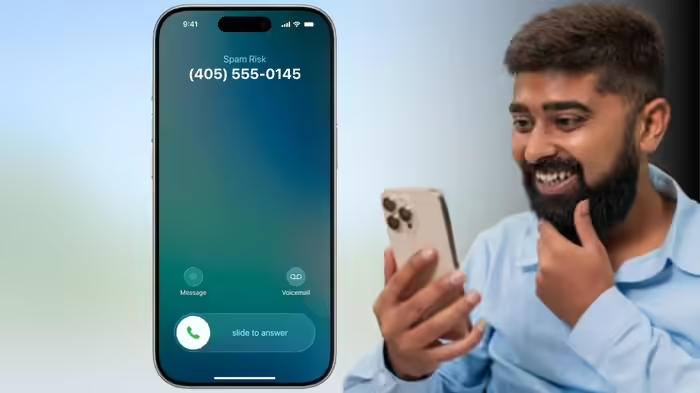
Have you ever noticed that when an iPhone is locked, incoming calls don’t show a disconnect button? Yet, when the phone is unlocked, you can see both the answer and end call buttons. There’s a simple reason behind this design — and an easy way to hang up even when your iPhone is locked.
Why the Disconnect Button Is Missing on a Locked iPhone
When your iPhone is locked and a call comes in, Apple intentionally hides the end call button. This prevents accidental touches while the phone is in your pocket or bag, which could otherwise unintentionally answer or disconnect a call.
Instead, a slide-to-answer bar appears, and the call can be answered by swiping. To hang up on a locked iPhone, the power button can be used.
When the End Call Button Appears
The end call button is visible only when the iPhone is unlocked. Apple ensures that this feature is available only when the user is actively using the phone. At that point, the user has control and can decide whether to answer or end the call.
How to Hang Up on a Locked iPhone
Even though the button isn’t displayed on the lock screen, you can still end a call. Simply press the power button once or multiple times to disconnect the call. This design balances usability with safety, ensuring that calls aren’t accidentally answered or dropped when the phone is locked.
Apple’s approach highlights the company’s attention to small but crucial user experience details, keeping accidental actions to a minimum while maintaining functionality.
Discover more from SD NEWS agency
Subscribe to get the latest posts sent to your email.