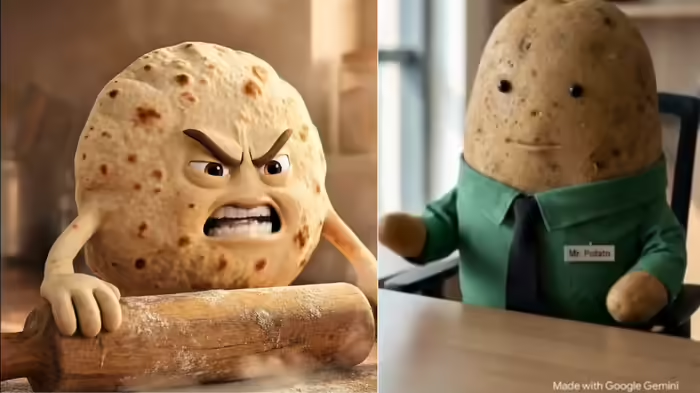
Have you seen videos where objects like a roti, a plastic bottle, or an orange appear to talk? These quirky clips have taken social media by storm. The roti might say, “Eat me too much and you’ll gain weight,” or a plastic bottle could complain, “I was only here to quench thirst, then thrown away.” Creating such videos is now easier than ever, and no special technical knowledge is required.
Step 1: Use ChatGPT
Open the ChatGPT app on your mobile or computer. Tap the three lines on the top left, go to Apps, then select GPTs. In the search box, type Object Talk Hindi and select it. Enter the object’s name, for example, “apple.” ChatGPT will generate a script and prompts for images suitable for your video. You can even specify the video theme, like “health benefits of apple.”
Step 2: Generate Images in Google Gemini
Next, open Google Gemini. Copy the prompts from ChatGPT and paste them in Gemini. Within seconds, images of your chosen object will be ready.
Step 3: Convert Images to Video Using Google Flow
Visit Google Flow, create a New Project, and select Frames to Video. Upload the images generated in Gemini and paste the ChatGPT video script. Google Flow will automatically generate a complete video, combining the images and script.
With this method, you can create engaging talking-object videos without a camera, filming, or editing—perfect for social media content in minutes.
Discover more from SD NEWS agency
Subscribe to get the latest posts sent to your email.