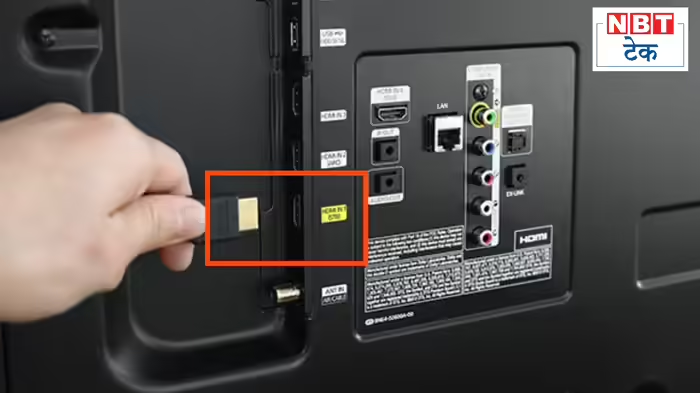
Many people spend lakhs on a smart TV, only to be disappointed by picture and sound quality at home. Often, the issue isn’t the TV itself but the underutilization of a critical port: the HDMI port. Most users simply connect a set-top box or TV stick and forget about its full potential. With the right setup, an HDMI port can turn an ordinary TV into a home theater powerhouse. Here are five key HDMI tricks to maximize your TV experience.
1. Control Everything with One Remote
If you have a soundbar, set-top box, or streaming stick, using separate remotes for each device is unnecessary. Modern TVs come with HDMI-CEC technology. When enabled, your TV remote becomes a universal remote, automatically powering on connected devices like soundbars or boxes. Volume adjustments and device control happen seamlessly. Manufacturers call this feature Samsung’s Anynet+, Sony’s Bravia Sync, or LG’s SimpLink, and it is available even on budget smart TVs.
2. Get Powerful Sound through HDMI
Many users connect their soundbar to any HDMI port, missing out on high-quality audio. Look for ports labeled ARC (Audio Return Channel) or eARC (Enhanced Audio Return Channel). eARC, the latest standard, can transmit Dolby Atmos and other uncompressed high-quality audio to your soundbar, delivering the immersive sound you paid for. Properly connecting your soundbar to the correct port is essential.
3. Unlock True Gaming Performance
Gamers often notice input lag while playing on PS5 or Xbox. The solution lies in your HDMI port settings. Enable Game Mode or ALLM (Auto Low Latency Mode) for the port connected to your console. This mode reduces unnecessary processing, giving your games faster response times and smoother performance. Many users overlook this feature and blame the TV for poor performance.
4. Achieve Crystal-Clear Picture
If 4K content looks dull or blurry on your 4K TV, your HDMI settings may not be optimized. Enable HDMI Deep Color or HDMI Enhanced Format to allow your TV to handle greater picture detail and richer colors. This is especially important for streaming platforms like Netflix to get the full 4K experience.
5. Don’t Ignore Cable Quality
Even with proper settings, poor-quality HDMI cables can ruin your viewing experience. For 4K TVs, use HDMI 2.0 or HDMI 2.1 certified cables. Cheaper cables often cannot transfer high-speed data required for 4K content. Investing in a certified cable ensures your TV delivers the picture and sound quality you expect.
By understanding and properly using your HDMI ports, you can significantly enhance both picture and sound, turning even a standard TV into a cinematic experience at home.
Discover more from SD NEWS agency
Subscribe to get the latest posts sent to your email.