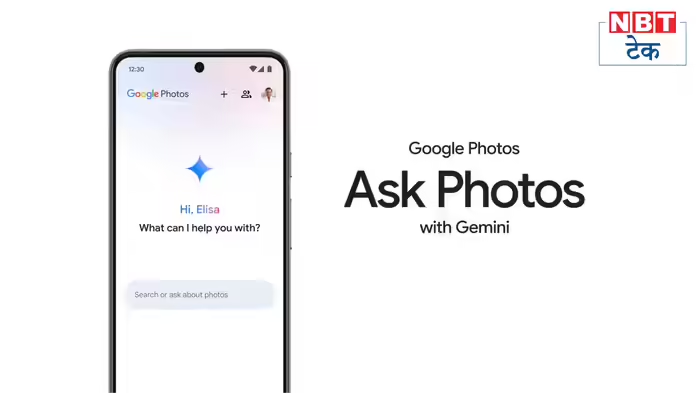
Google has announced a major upgrade for Android smartphone users in India—AI-powered voice-based photo editing in Google Photos. After its initial launch in the United States, the feature is now being rolled out in India, allowing users to edit photos simply by speaking commands.
This new tool is not limited to English. It supports Hindi and several Indian regional languages, making advanced photo editing more accessible to millions of users across the country.
A Big Boost for Android Users in India
Google’s AI-powered editing feature will be available to Android smartphones running Android 8 or higher with at least 4GB of RAM. Eligible users can now give voice instructions to edit their photos, removing the need for manual adjustments or technical expertise.
The feature is part of Google’s broader push to make artificial intelligence more inclusive and user-friendly for Indian audiences.
‘Ask Photos’ No Longer Limited to Pixel Phones
Earlier, Google’s ‘Ask Photos’ feature was exclusive to Pixel 10 smartphones in the US. With the latest update, Google is expanding this capability to all Android users in India, removing the need for a Pixel device.
To support the new AI functionality, Google has also updated the design of the Google Photos app, making it easier to access AI-based editing tools.
Support for Indian Languages
One of the most notable aspects of this rollout is multi-language support. Users can now edit photos using voice commands in Hindi, Marathi, Telugu, Gujarati, Bengali, and several other Indian languages, in addition to English.
This move is expected to significantly improve user adoption, especially among those who prefer interacting with technology in their native language.
How AI Voice Editing Works in Google Photos
To use the feature, users need to open the Google Photos app and select an image. A new “Help me edit” bar will appear, activating Google’s AI assistant Gemini.
Users can give simple commands such as:
- “Remove background clutter”
- “Focus more on him/her”
- “Enhance lighting”
- “Blur the background”
For more advanced edits, Gemini can understand and execute customized instructions through voice or text input.
Gradual Rollout Expected
At the time of writing, the AI editing option was not yet visible on all devices, as Google has only announced the feature and is expected to roll it out gradually over the coming days.
Once fully deployed, this AI-powered tool is set to transform the way Indian users interact with photos—making professional-level editing as easy as having a conversation.
Discover more from SD NEWS agency
Subscribe to get the latest posts sent to your email.