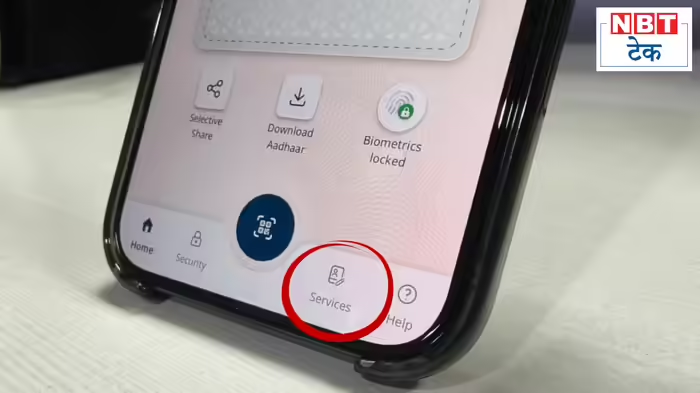
UIDAI recently released the full version of the Aadhaar app, bringing a refreshed look and changes to the placement of features and services. With this update, the steps to update your linked mobile number or address have also changed. Here’s a detailed guide on how to navigate the new app.
Registering on the New Aadhaar App
The registration process remains largely the same, even with the new design. If you are not yet a user:
- Download the Aadhaar app from the Play Store or App Store.
- Open the app and click “Continue to Register.”
- Enter your Aadhaar number and accept the terms and conditions.
- Click “Continue to Send SMS” to link your mobile number.
- Verify your mobile number using the OTP.
- Proceed to Face Authentication and complete the verification.
- Set a PIN for the app.
Once done, you are ready to use the new Aadhaar app.
How to Update Your Mobile Number
To update your mobile number in the new app:
- Go to the Services tab on the home page.
- Tap “Mobile Number Update.”
- Click “Continue to Update Mobile Number.”
- Enter the new mobile number you want to link.
- An OTP will be sent to your new number. Enter it in the app.
- Follow the app instructions to complete the authentication process.
The mobile number update request is sent to UIDAI, and the process takes approximately 15 days with a fee of ₹75.
How to Update Your Address
Address updates can also be done via the Services tab:
- Tap “Address Update.”
- Choose your preferred method:
- Using Documents (electricity bill, phone bill, etc.)
- Using a family member’s Aadhaar
- For documents:
- Tap “Using Your Documents.”
- Select the document to update your address.
- Verify the new details and complete Face Authentication.
- Submit your request with payment (₹75) – processing takes around 15 days.
- For family member-based update:
- Tap “Using Family Member’s Aadhaar.”
- Enter the family member’s Aadhaar details.
- Complete Face Authentication and submit the request with payment.
How to Lock Your Biometric Data
The new app also makes it easier to lock your biometric data to prevent unauthorized use:
- On the home page, tap “Biometrics Unlocked” under your Aadhaar QR code.
- Tap “Confirm Biometric Lock”.
- Confirm by selecting “Yes, Confirm.” Once locked, your biometric data cannot be misused until you unlock it.
The updated Aadhaar app has made registration, mobile number updates, address changes, and biometric security more streamlined and user-friendly, ensuring that managing your Aadhaar details is easier than ever.
Discover more from SD NEWS agency
Subscribe to get the latest posts sent to your email.