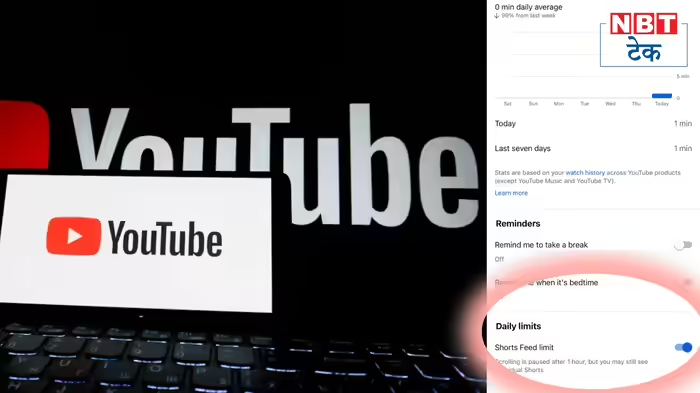
If you have ever opened YouTube Shorts “for just a few minutes” and suddenly realized hours have passed, you are not alone. Short-form videos are designed to keep users scrolling endlessly—but YouTube has now introduced a feature that may finally help users take control of their screen time.
The platform has rolled out a new option called Shorts Feed Limit, allowing users to set a daily time limit for watching YouTube Shorts. Once the allotted time is over, scrolling stops and a notification alerts the user—helping break the habit of mindless consumption.
What Is YouTube Shorts Feed Limit?
YouTube Shorts were created to offer quick, engaging videos, but many users end up spending far more time than intended. To address this growing concern, YouTube now lets users decide how much time they want to spend on Shorts each day.
When the set limit is reached, the Shorts feed pauses automatically. This feature is similar to Instagram’s daily usage limit and aims to reduce excessive screen time caused by continuous scrolling.
How the Feature Helps
By introducing a stopping point, YouTube hopes to promote healthier digital habits. The Shorts Feed Limit encourages users to be more mindful of their viewing patterns and prevents unintentional time loss—especially during work hours or before bedtime.
How to Enable Shorts Feed Limit
Setting the Shorts Feed Limit is simple and takes just a few steps:
- Open the YouTube app on your phone
- Tap on your profile icon at the bottom
- Click on the Settings icon at the top right
- Select Time Management
- Scroll down to find Shorts Feed Limit
- Toggle the option on and set your preferred daily limit
Once activated, YouTube will notify you when your daily Shorts limit is reached.
Availability
The feature works much like Instagram’s Daily Limit tool. The steps mentioned above were tested on an iPhone; Android users may notice slight differences in navigation, but the feature remains the same.
Bottom Line
With short videos becoming increasingly addictive, YouTube’s Shorts Feed Limit is a welcome move for users who want to reclaim their time. A simple setting change can now help turn endless scrolling into intentional viewing—and save hours every week.
Discover more from SD NEWS agency
Subscribe to get the latest posts sent to your email.