
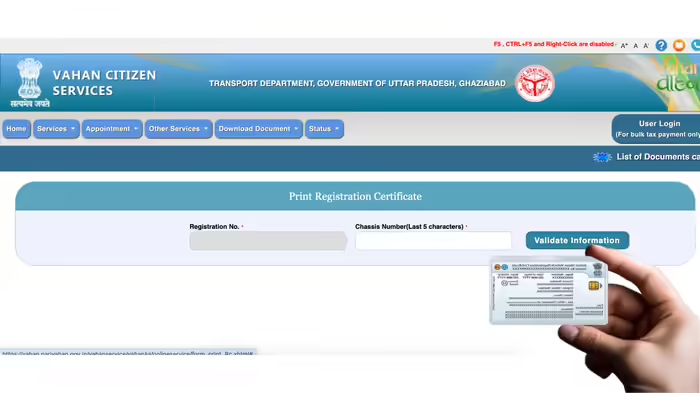
Gone are the days when losing your vehicle’s Registration Certificate (RC) meant multiple trips to the RTO office. With platforms like VAHAN 4.0 and DigiLocker, vehicle owners can now download a digital RC within minutes, directly on their mobile phones or computers.
What is VAHAN 4.0?
VAHAN 4.0 is a government-developed platform by the Ministry of Road Transport and Highways (MoRTH) designed to simplify vehicle registration and related processes. It uses a unified database across India, allowing easy and transparent data sharing between RTOs of different states.
Uses of VAHAN 4.0
VAHAN 4.0 facilitates a range of services, including:
- Vehicle registration
- Ownership transfer
- Road tax payment
- Issuance of fitness certificates
- Permits
- Hypothecation management (linking or removing loans from RC)
How to Download a Digital RC via VAHAN 4.0
- Open a browser on your phone or computer and search for “RC Download VAHAN 4.0”.
- Click on the first link leading to VAHAN 4.0.
- Enter your vehicle registration number and the last 5 digits of the chassis number.
- Verify your identity through the OTP sent to your registered mobile number.
- Download your RC in PDF format instantly.
Alternative: DigiLocker
You can also download your RC using the DigiLocker app:
- Log in to the DigiLocker app.
- Search for Vehicle Registration and select your state.
- Enter your registration number and chassis number.
- Your digital RC will be available on your phone.
With these digital solutions, vehicle owners no longer need to worry about lost or damaged RCs and can access their registration documents anytime, anywhere.
Discover more from SD NEWS agency
Subscribe to get the latest posts sent to your email.