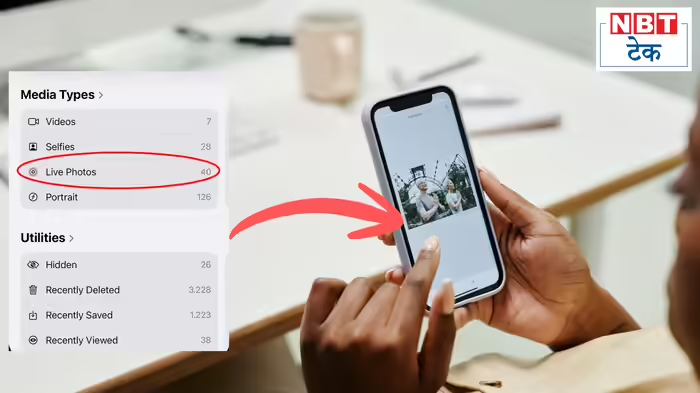
iPhone and iPad users can now easily transform their Live Photos into engaging videos without needing any third-party app. This simple trick allows you to turn your memories into moving, dynamic stories, capturing more than just a still image.
How It Works
Live Photos capture a few seconds of video before and after a photo is taken. While they appear as a regular photo at first glance, they hold a short video clip, giving you the chance to compile multiple moments into a single video. This is especially useful if you haven’t recorded a full video but have captured Live Photos at special moments.
Step-by-Step Guide to Create a Video from Live Photos
- Open the Photos app on your iPhone.
- Navigate to Collections at the bottom of the screen.
- Scroll down to Media Types and select Live Photos.
- All your Live Photos will now be displayed in your library.
- Tap Select at the top right corner.
- Choose the Live Photos you want to include in the video. A small checkmark will appear on each selected photo.
- Tap the three-dot button at the top right corner.
- From the pop-up menu, select Save as Video.
All chosen Live Photos will now be combined into a single video file.
Where to Find Your Video
- Go back to the Library view or check under Media Types → Videos.
- Note: The video will retain the original date of the Live Photos. If you are sorting by “Recently Added,” it may not appear as the newest video.
Important Tips
- The final video will maintain the original order of the Live Photos, not the order in which you selected them.
- The video merges the motion from each Live Photo into a continuous clip.
- Once created, the video can be edited, shared, or exported like any other video in the Photos app.
This easy iPhone trick is perfect for turning your favorite Live Photos into vibrant video memories without needing any extra software.
Discover more from SD NEWS agency
Subscribe to get the latest posts sent to your email.