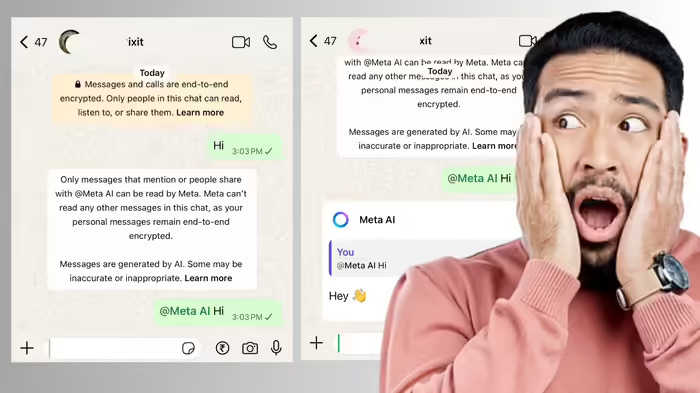
Ever wondered if someone has blocked you on WhatsApp? Now, with the help of Meta AI, you can find out with just a simple “Hi” message. The process is easy: tag Meta AI in a chat and send a “Hi,” and it will indicate whether you are blocked or not.
Sometimes, when someone doesn’t respond on WhatsApp, it can be unclear whether they have blocked you or are simply offline. Normally, a single tick appears for messages if the recipient’s internet is off—or if you have been blocked. This can cause confusion, especially if the person hasn’t set a profile picture.
How Meta AI Helps
Until now, identifying who blocked you on WhatsApp was tricky. With Meta AI, you can now easily determine your status. Simply go to the chat of the person you suspect has blocked you, tag Meta AI by typing @Meta AI, and add a space followed by “Hi.”
What Happens If You Are Blocked?
If you are blocked, sending “Hi” with Meta AI tagged will not generate any response. This confirms that the person has blocked you.
What Happens If You Are Not Blocked?
If you are not blocked, Meta AI will respond to your message. This holds true even if the recipient’s phone or internet is off, allowing you to distinguish between someone being offline and being blocked.
This simple trick with Meta AI now makes it easy to resolve the confusion and know exactly who has blocked you on WhatsApp.
Discover more from SD NEWS agency
Subscribe to get the latest posts sent to your email.