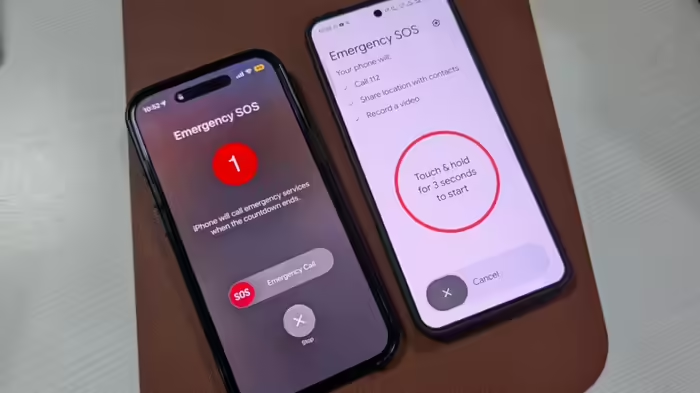
In the first 15 days of 2026, 800 people have reportedly gone missing—an alarming average of over 50 people per day, mostly women and children. In such situations, enabling Emergency & SOS features on your smartphone can be life-saving. Both iPhone and Android devices offer these features, allowing users to share their location and critical details with trusted contacts or emergency services with just a few button presses.
Emergency SOS on iPhone
iPhone users can activate the Emergency SOS feature to instantly share their location and other details. Here’s how:
- Open Settings and search for Emergency SOS.
- Enable Call with 3 Button Presses. This allows you to press the power button three times to automatically call emergency numbers.
- To make emergency calls silent, turn on Call Quietly.
- If traveling by car, enable Call After Serious Car Crash. This automatically contacts emergency numbers in case of an accident.
Set Emergency Contacts in Health App
To ensure that emergency calls reach the right people, set up your Emergency Contacts in the Health app:
- Open Emergency SOS > Set up Emergency Contacts in Health.
- Add the contacts you want to alert during an emergency along with any medical details.
Safety & Emergency Settings on Android
Android users should enable Safety & Emergency settings:
- Go to Settings > Safety & Emergency.
- Save your medical details and add your emergency contacts.
- Turn on Emergency SOS, allowing three presses of the power button to notify your contacts.
- Scroll down and enable Call Emergency Services, Share Info with Emergency Contacts, and Record Emergency Video to share maximum information in critical situations.
Why It Matters
With missing cases rising, these smartphone features provide a quick and reliable way to alert authorities and loved ones, potentially preventing tragedies.
Discover more from SD NEWS agency
Subscribe to get the latest posts sent to your email.