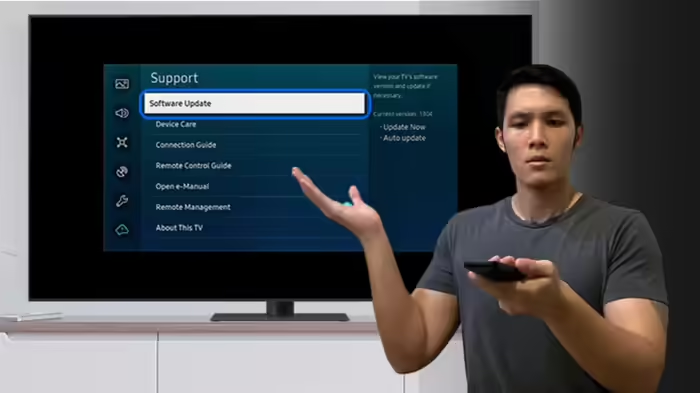
Just like smartphones, smart TVs also require regular software updates. However, updating a TV is not as simple as updating a phone. A minor mistake during the process can corrupt the TV’s operating system or even damage the motherboard—ultimately forcing you to bear the cost of a brand-new television.
Before you proceed, here are the essential precautions and the correct method to safely update your smart TV.
Why Updating a Smart TV Is Important
Smart TV updates are designed to improve performance, remove software bugs, fix sound or picture issues, and enhance privacy and security features.
Companies also release updates to protect users from new vulnerabilities that hackers may exploit in outdated Android-based systems.
Missing updates can compromise both your viewing experience and your digital safety.
Precautions to Take Before Updating Your TV
1. Ensure a Stable Internet Connection
A stable and uninterrupted internet connection is crucial.
If the connection drops during the update, the process may get stuck, corrupting the TV’s operating system.
In many cases, this leads to motherboard failure.
For best results, connect your TV via a LAN cable for a strong and steady network.
2. Do Not Turn Off the TV During the Update
If your area experiences frequent power cuts, make sure your TV is connected to a power socket supported by an inverter or UPS.
If the TV shuts down midway through an update, the operating system may get corrupted—often beyond repair.
3. Always Use the Correct Update Source
Many users download firmware files from the internet to unlock premium features available in higher-end models.
This is extremely risky.
Manually installing unofficial firmware may permanently damage your TV.
Always use OTA (Over-The-Air) updates only, provided directly by the manufacturer.
You can check for OTA updates in the TV’s Settings → Software Update section.
4. Free Up Storage and Close Background Apps
Smart TVs usually have limited internal storage and 1GB RAM.
An update file requires sufficient free space, and background apps can interrupt the installation process.
Before updating:
- Delete unnecessary apps
- Close all apps running in the background
This ensures smooth and error-free installation.
What to Do After Updating Your TV
Once the update is complete:
- Switch off the TV and keep it off for a few minutes
- Turn it back on to allow the new software to load properly
If you notice any issues or performance lag after the update, perform a Factory Reset through the Settings menu.
Conclusion
A smart TV update is essential for improved performance, better security, and a seamless entertainment experience.
However, even a minor negligence—unstable internet, power failure, or using unofficial firmware—can turn your TV into a dead screen, costing you thousands in replacement.
Following the above precautions ensures your TV stays healthy, efficient, and future-ready.