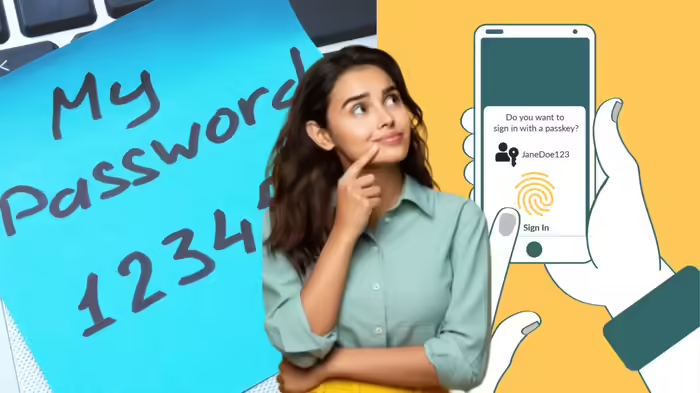
In the modern digital era, logging into apps and websites using a password has been a standard practice for years. But with advancing technology, a new tool called Passkey is emerging as a safer and smarter alternative. Here’s what you need to know about the difference between the two and which one you should use.
What is a Passkey?
A Passkey can be considered an advanced version of a password. While it functions as a key to log into websites or apps, it works quite differently from traditional passwords.
A Passkey consists of two codes:
- One code is stored on the app or website server.
- The other code stays on your personal device like a smartphone or laptop.
When you attempt to log in, the system verifies your identity using Face Unlock, fingerprint, or PIN. Only when the two codes match does the login succeed. This method is based on public-key cryptography.
The major advantage is that one part of the Passkey never leaves your device, making it almost impossible to steal. As a result, Passkeys offer much higher security compared to traditional passwords.
Passwords vs Passkeys: What’s the Difference?
| Feature | Password | Passkey |
|---|---|---|
| Knowledge Requirement | Must remember a word or phrase | No need to remember; uses device authentication |
| Security Risk | Can be stolen, guessed, or phished | Nearly impossible to steal; code split between device & server |
| Ease of Use | Can be cumbersome if complex | Quick and simple with biometrics or PIN |
| Hacking Protection | Vulnerable to leaks and phishing | Protected against phishing, guessing, and hacking |
In essence, passwords are shared secrets, while Passkeys are digital keys tied to your device, making them far more secure against modern cyber threats.
Limitations of Passkeys
Passkeys are tied to a specific device, meaning you cannot directly use a Passkey from one device on another. To log in on a different device, users must scan a QR code and authenticate using Face Unlock, fingerprint, or PIN. Android devices allow PIN or pattern authentication, while Windows laptops may require Windows Hello or Microsoft Authenticator.
Despite this limitation, Passkeys are faster, easier, and more secure than traditional passwords.
Which Should You Use?
Not all websites or apps currently support Passkeys, so passwords are still needed in many cases. However, wherever Passkeys are available, you should use them instead of passwords. Apps in banking, payments, and social media are increasingly adopting Passkeys, and users are encouraged to switch for better security and convenience.
Bottom Line: With rising cyber threats in the AI era, Passkeys are set to replace passwords as the preferred way to secure your online accounts.
Discover more from SD NEWS agency
Subscribe to get the latest posts sent to your email.